ChatGPT has released a new image generator, and seeing Simon Willison’s experiments with the new GPT image generator and infographics, I decided to try it on my own blog. In my previous post, My AI Writes Code. Yours Can Too, I described my workflow. I thought it would be a fun experiment to ask both GPT and Gemini to create an infographic of that workflow.
Here is the result.
The Contenders
First up, the version generated by GPT 5.2.
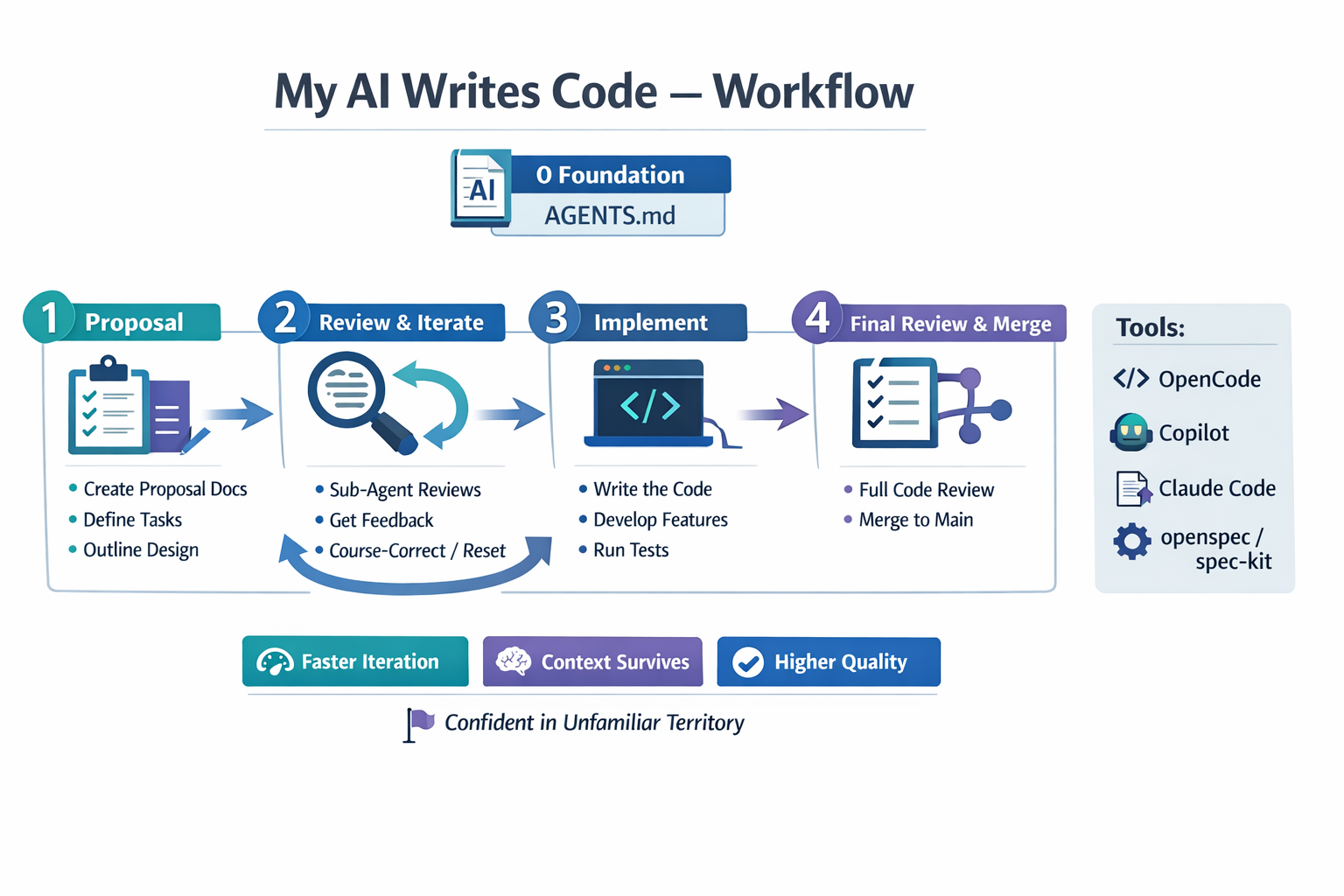
It looks decent and it gets the point across. A few months back, this would have blown me away. But now, I don’t find it really impressive. It’s a little bit boring.
Now, look at what Gemini produced.
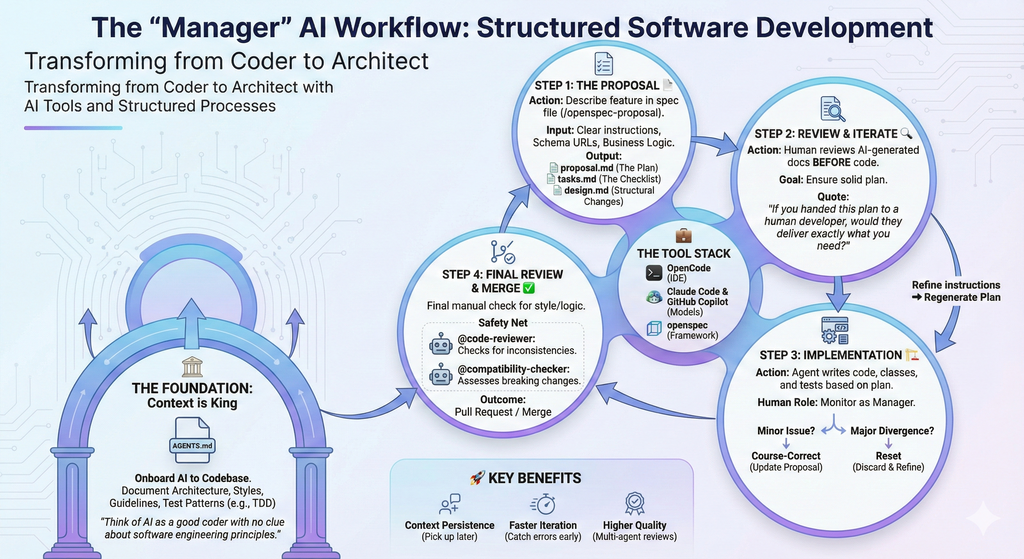
Wow! This image really impresses me. It shows a really nice, rich picture with all the details of the workflow. This is something which I would really be glad to put in a slide deck or anywhere I want to present it. It may be a little bit chaotic, but it’s a really cool picture.
The Verdict
Honestly? I’m impressed by the Gemini version. It just feels more comprehensive and visually stunning. The GPT version is nice and tidy, but Gemini wins for me.
Which one do you like more?
Update
On LinkedIn, someone pointed out to me that I should have used the ChatGPT image feature. I thought that it would automatically use that feature. So I tried again.
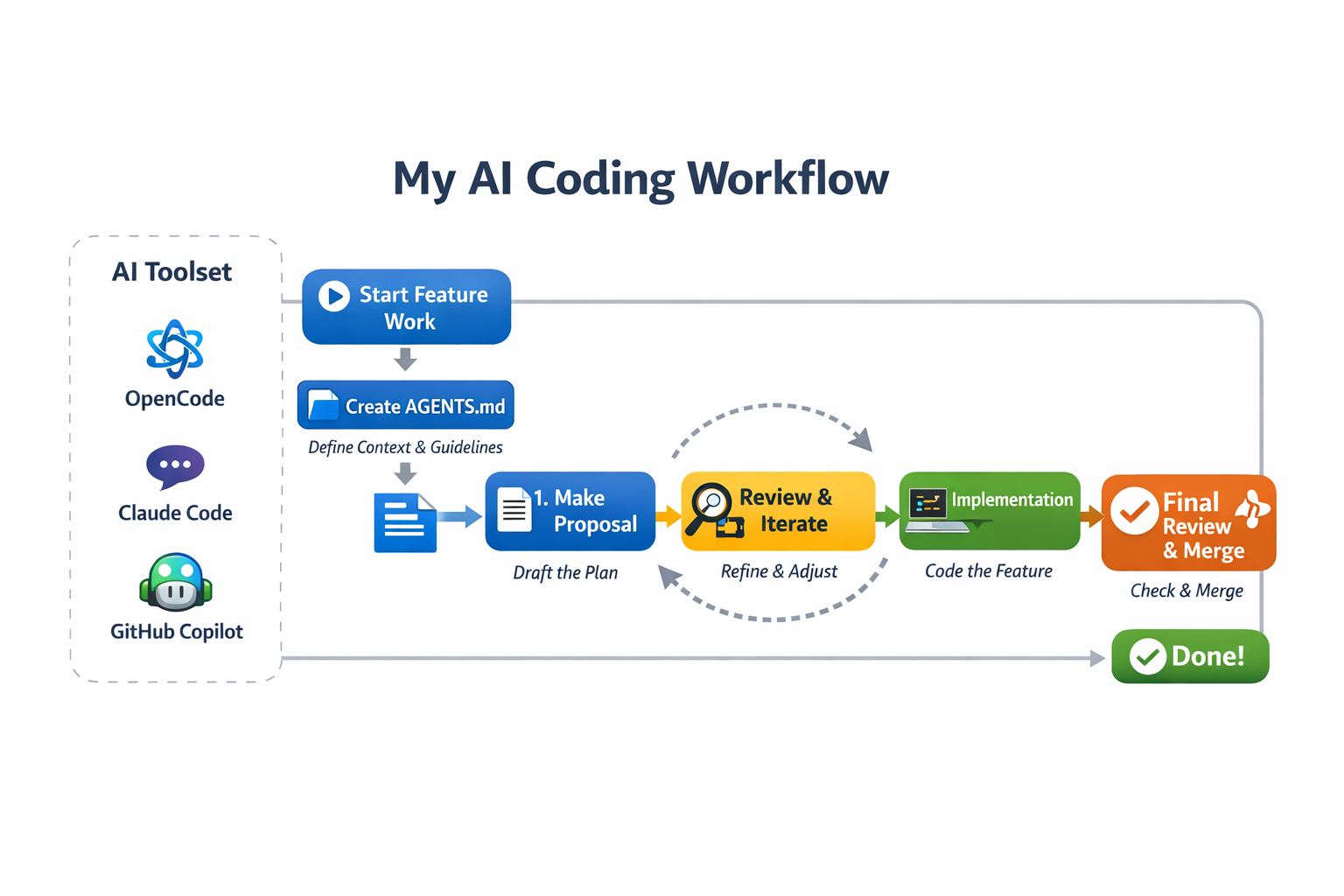
The result was not much better. It is logically even wrong, because you will not change the AGENTS.md for every feature.
Related Articles
The Reviewer
How I stopped reviewing bad code and started building better software with AI assistance.
Closing the Loop
Why I automate every step of the development process so the only thing left for me is reviewing the proof
Level 7: The Team Captain
The next step after becoming the Architect: building a team of AI agents that collaborate like real team members.